
Orthodontic records and cephalometric analysis, on your phone
Photograph a film with your phone camera; AI places the landmarks and returns Steiner, Ricketts, Tweed and other measurements with an interpretation — on your own clinic's patients in ViCeph.

Cannot use Google Play?
You can install the APK directly instead. Android will warn you a few times along the way — the guide explains each one.
Android will ask for a few confirmations — the guide takes 2 minutes. Read the install guide
This app is for Android phones

Or open on your phone: viceph.net/doctor-app
Analysis on your patient's own film
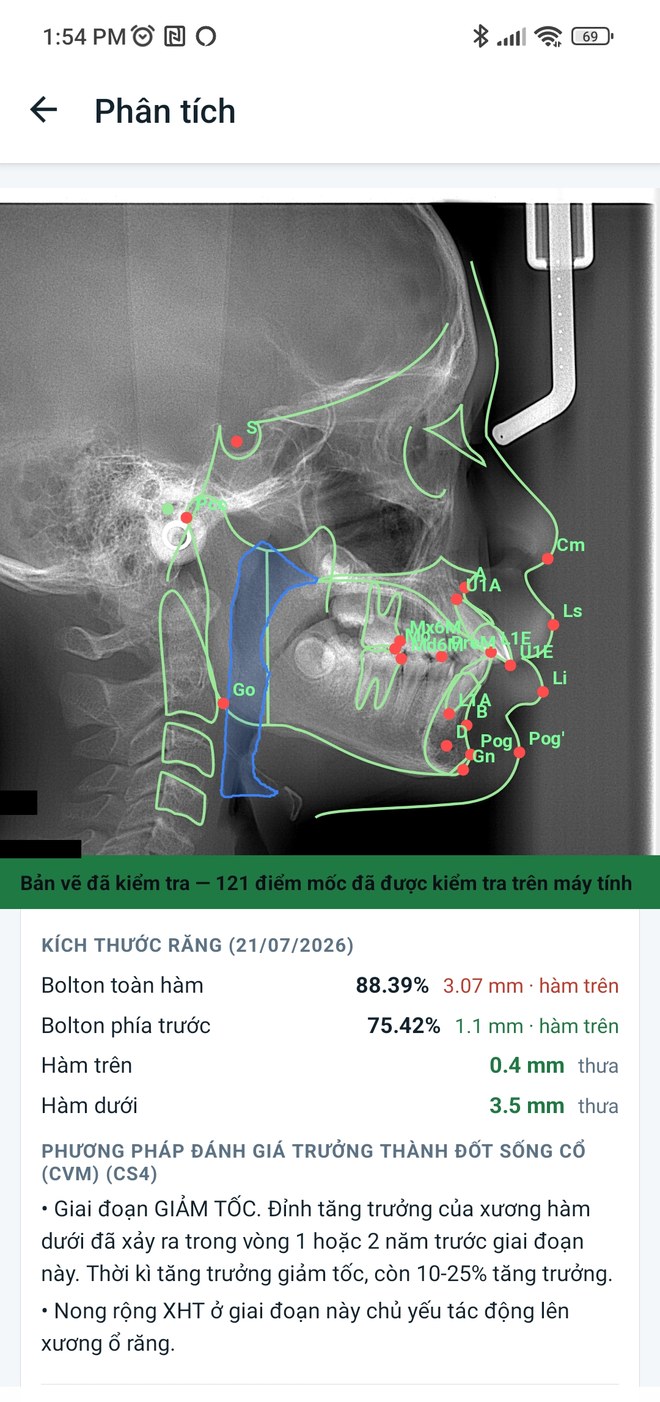
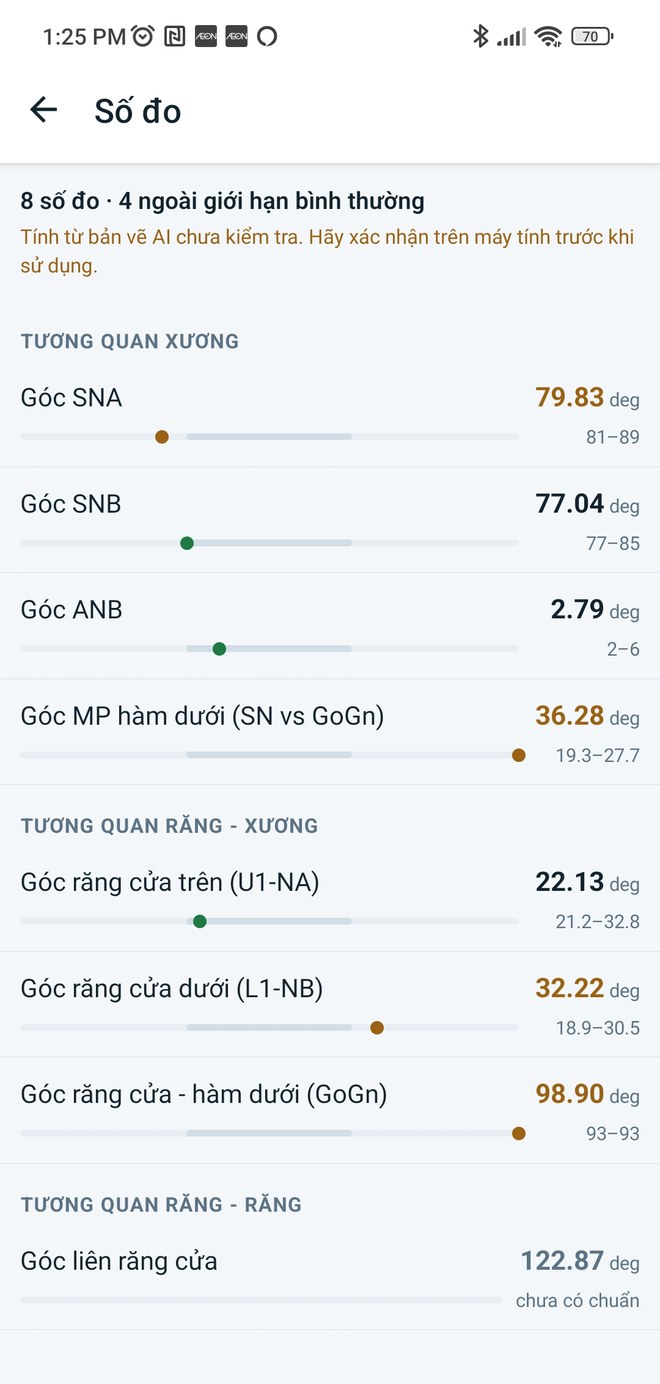
- Automatic landmarks on lateral and PA films, with curves, CVM stage and airway area.
- A tracing verified on the desktop is shown as verified — never confused with an unreviewed AI run.
- Choose the analysis (Steiner, Ricketts, Bjork, Tweed, Downs, Wits, McNamara…) and the norm set; out-of-norm values are flagged, and timepoints can be superimposed.
What else it does
- Patient list with photos, age, sex, treatment phase and whether a tracing exists.
- Shoot a whole record set in one session: choose the image type over the viewfinder, with a guided mode that steps through the nine standard views. Choose Auto and the AI classifies them for you.
- The full orthodontic record, problem list and treatment plans, with a per-field edit history.
- Export the record and analysis reports as PDF to keep or send.
- Vietnamese and English, following the phone's language.
- Camera profile: measures your own phone's lenses, distortion and room light, then warns when a view is being distorted by a wide lens — naming the zoom and the distance to use.
- Compare a shade against your own shade guide, under your own light. Indicative only, always shown with how close the match was, and it says so plainly when nothing is close enough.
What's new in v0.19.37
0.19.37 — the camera now really does open on the group you chose.
The setting added in 0.19.36 had no effect: the camera always opened on Mặt whatever it was set to. It now opens on Mệng by default, and on whichever group is set in Cài đặt → Máy ảnh → "Mở máy ảnh ở".
If the install fails
The phone says “App not installed” or “Invalid package”
An older ViCeph Doctor build is already on the phone. Remove it (press and hold the icon → Uninstall) and install again. The data lives on the server, so uninstalling does not lose any patient records.
The phone says the app is not compatible with this device
The app needs a 64-bit phone, which covers most handsets from 2019 onward. Older phones may not be able to install it — contact us and we will check.
Play Protect still blocks it after “Install anyway”
Open Play Store → tap your profile picture → Play Protect → the gear icon → turn off “Scan apps”. Turn it back on as soon as the install finishes.
The download never finishes or restarts
The file is 40 MB, so use Wi-Fi rather than mobile data. If a partial file is left, delete it from Downloads and try again.
It downloaded but I cannot find the file
Open Chrome → ⋮ → Downloads, or the My Files app → Downloads, and look for viceph-doctor.apk.
Still cannot install it?
Send us a screenshot of where it stopped, with your clinic name and phone model (Xiaomi, Oppo, Samsung…). That is usually enough for us to answer straight away.